
Security & Legal
Binance New Device Verification: Login Checks Explained
Why Binance asks for extra verification on a new device, which 2FA methods are strongest, and what to do when the login check will not go through.
Logging in from a new phone or a different computer usually triggers an extra verification step. That prompt is a security feature rather than a fault, but it becomes a real problem when the code does not arrive or the device you used to authenticate is no longer available. Understanding how the check works makes it much easier to resolve.
Why the extra check appears
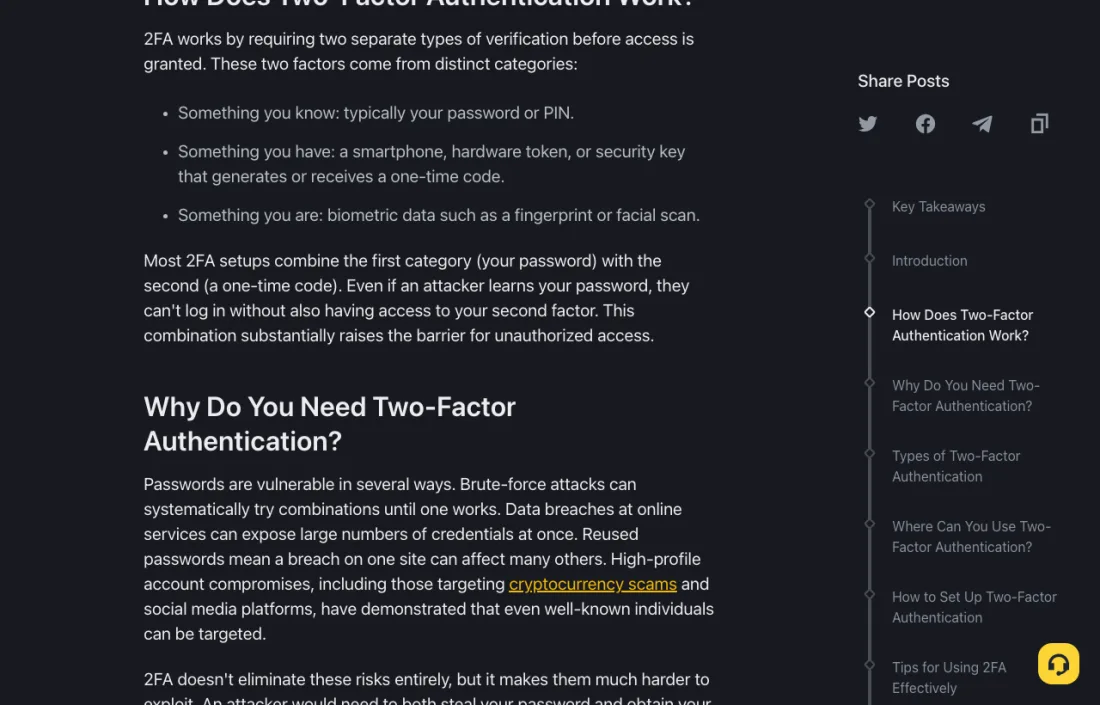
Binance Academy's material on two-factor authentication explains the underlying principle: 2FA requires two separate types of verification before access is granted, drawn from distinct categories — something you know, such as a password or PIN; something you have, such as a smartphone, hardware token, or security key; and something you are, such as a fingerprint or facial scan.
As the article puts it, most setups combine your password with a one-time code, so that even if an attacker learns your password, they cannot log in without also having your second factor. A new device is precisely the situation where that second factor matters most, because the platform has no prior record of it.
Signals that commonly trigger a check include a new device or browser, a new location or network, a login after a long gap, or a recent change to your security settings.
The methods, and their trade-offs
Binance Academy lists common 2FA methods along with their weaknesses, which is worth knowing before you pick one:
- SMS codes — the most vulnerable to SIM-swapping.
- Authenticator apps such as Google Authenticator — time-based codes generated on your device.
- Hardware tokens and security keys — offline and highly secure.
- Biometrics — fingerprint or facial recognition.
- Email codes — carry a single-point-of-failure risk if the email account itself is compromised.
- Passkeys and FIDO2 — a phishing-resistant cryptographic approach.
The Academy's stated best practices are to enable 2FA on all supported accounts, save backup codes somewhere secure, never share one-time codes, and avoid public Wi-Fi when authenticating.
When the verification will not go through
- Check the obvious channel problems first. For email codes, look in spam and promotions folders. For SMS, check signal and whether the number is still active. Our guide on a verification code not arriving covers this in more detail.
- Check the device clock. Authenticator apps generate time-based codes. If your phone's clock has drifted, every code will be rejected. Set the date and time to automatic.
- Use the current code. Codes expire quickly. Enter a freshly generated one rather than the last one you looked at.
- Confirm you are on the real site. Verify the domain carefully, or open the app directly. A device-verification prompt is a favourite phishing template.
- Try the alternative method offered. Many flows allow a fallback channel if the primary one fails.
If you have lost access to the second factor
This is the harder case: a lost, reset, or replaced phone with no backup codes saved. Binance's Support Center lists a "Reset 2FA" self-service option described as resetting your two-factor authenticator. That is the official path, and it typically involves identity checks and a security waiting period before withdrawals resume — which is expected behaviour, not an additional problem.
Before you get there, the preventive step is simple: when you set up an authenticator, save the backup codes or the setup key somewhere offline and secure. It converts a multi-day recovery into a two-minute fix.
Staying safe during the process
Never share a one-time code with anyone, including someone claiming to be support. A code read aloud or pasted into a chat is a completed account takeover. If a message pressures you to act immediately or to authenticate through a supplied link, treat that pressure itself as the warning sign. Checking the Binance anti-phishing code is one practical way to confirm whether a message genuinely came from the platform.
Common questions
Can I turn device verification off?
The prompt for unrecognised devices is a platform security behaviour rather than a user preference. You can usually choose which 2FA methods you rely on, but disabling protection is not advisable.
Is an authenticator app better than SMS?
Binance Academy identifies SMS as the method most vulnerable to SIM-swapping, and describes hardware keys as offline and highly secure. An authenticator app is generally a stronger choice than SMS for most people.
Why did the check appear on a device I have used before?
Clearing cookies, updating the browser, using a private window, or changing network can make a familiar device look new to the platform.
What if I no longer have the registered phone number?
Use the official Support Center path for updating security settings. Expect identity verification, and do not route the request through any third party.
Sources and update note
This guide uses Binance Academy's public two-factor authentication article and the official Support Center. Available methods and recovery steps differ by region and change over time; the options shown in your own account are the final reference.
Security notice: Never share one-time codes, passwords, or recovery phrases with anyone. This article is general education, not legal or financial advice.