
Getting Started
Binance Identity Verification Failed: How to Fix It
Why Binance identity verification can fail, how the staged KYC process works, what to check before resubmitting, and where to appeal a rejection.
A failed identity check is one of the most common obstacles for new Binance users. The good news is that most rejections come from fixable document or image problems rather than a permanent decision about you. Knowing how the process is structured makes the retry far more likely to succeed.
How verification is structured
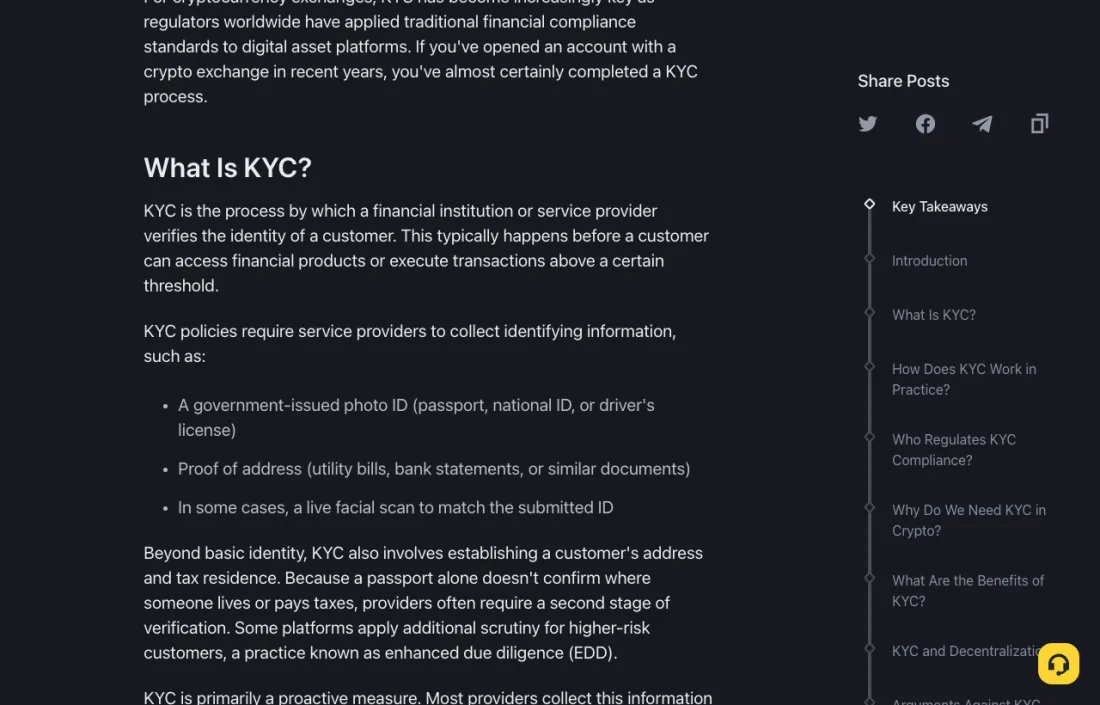
Binance Academy's KYC material describes verification as unfolding in stages, with each stage unlocking additional platform functionality:
- Basic identity verification. This stage collects a government-issued ID and confirms name, date of birth, and ID number.
- Address verification. This stage establishes the customer's address, which is needed for tax compliance and to confirm jurisdiction.
- Enhanced due diligence. Higher-risk customers may face additional scrutiny, which can involve source-of-funds documentation, more frequent re-verification, or manual review by a compliance officer.
Knowing which stage failed tells you what to fix. A rejection at the ID stage is a different problem from a rejection at the address stage, and our separate guide to Binance proof of address covers the second one in detail.
Frequent reasons a check fails
These are troubleshooting categories rather than a published list of rules:
- Image quality. Glare, blur, shadow, cropped corners, or a photo of a screen instead of the document itself.
- Name mismatch. Spelling, name order, accents, or middle names that differ from what the account holds.
- Expired or unsupported document. The document has lapsed, or that document type is not offered for your region and account level.
- Incomplete capture. Part of the document, the issuer, or the expiry date is outside the frame.
- Liveness or selfie step problems. Poor lighting, a covered face, glasses with heavy reflection, or movement during capture.
- Region availability. Requirements and supported documents differ by country and can change over time.
Binance Academy also notes a structural point worth knowing: people without a fixed address, those in countries with limited official ID infrastructure, or individuals in displaced situations may find KYC requirements a genuine barrier. That is a limitation of the system, not a personal failing.
Checks before you resubmit
- Read the rejection message carefully. It usually names the stage and often the specific issue. Fix that item rather than changing everything at once.
- Match the account details to the document. If your registered name has a typo, correcting the account information may matter more than a new photo. The Support Center offers a self-service option for name and birthday corrections.
- Photograph the physical document. Place it flat on a plain surface in even, indirect light. Avoid direct flash, which causes glare on laminated cards.
- Keep the whole document in frame. All four corners, the issuer, the photo, and the dates should be visible.
- Do not edit the file. Cropping, filters, redaction, or compression that removes detail can turn a valid document into a rejected one.
- Complete the selfie step in good light. Face the camera directly, remove hats and heavy reflections, and follow the on-screen prompts.
Submit once through the official flow and wait for the result before trying again. Repeated identical submissions rarely change the outcome.
When resubmission does not work
If a valid, correctly captured document is rejected again, the next step is the official appeal path rather than another upload. Binance's Support Center lists an "Appeal KYC Rejection" self-service option described as requesting review of a verification rejection. Use that route, and describe the document type, the stage, and the exact message you received.
If you have not yet completed registration, our walkthrough on how to register a Binance account in Vietnam covers the earlier steps in order.
A security note that matters here
Identity documents are exactly what scammers want. Never send your ID, proof of address, password, 2FA code, or recovery phrase to someone offering to complete verification for you, whether through Telegram, email, or a private message. Upload documents only inside the official Binance flow, opened from a bookmark or the official app.
Common questions
Can I verify with a different document type?
Sometimes. The available types depend on your region and verification level, and the options shown in your own account are authoritative.
Does a rejection count against my account?
A rejection is a result for that submission. Correcting the underlying issue and resubmitting through the official flow is the normal path.
How long does a review take?
It varies with the stage and jurisdiction. Automated checks tend to return quickly; a manual compliance review takes longer.
Can someone else verify on my behalf?
No. Verification is tied to the account holder, and handing your documents to a third party creates a serious security and identity-theft risk.
Sources and update note
This guide uses Binance Academy's public KYC explanation and the official Support Center. Requirements vary by country and change over time; the instructions shown in your own verification screen are the final reference.
Privacy and risk notice: Identity documents contain sensitive personal information. Submit them only through the official verification flow. This article is general education, not legal or financial advice.